---
description: >-
Learn how to translate texts from WPLoyalty while using Translate Press
plugin.
---
# Using TranslatePress
{% hint style="info" %}
Haven't yet purchased the WPLoyalty - PRO ?
[Get WPLoyalty PRO](https://wployalty.net/pricing/)
{% endhint %}
While using Translate Press plugin, strings will get automatically translated via enabling "Automatic Translation" settings.
Note: While enabling this setting, it will override all customised translations done manually using third party plugins like Loco Translate or via POEditor.
Are you looking to Translate WPLoyalty strings manually as per your requirement and disable this "Automatic Translation" setting for WPLoyalty ?
In that case, you can choose the below settings:
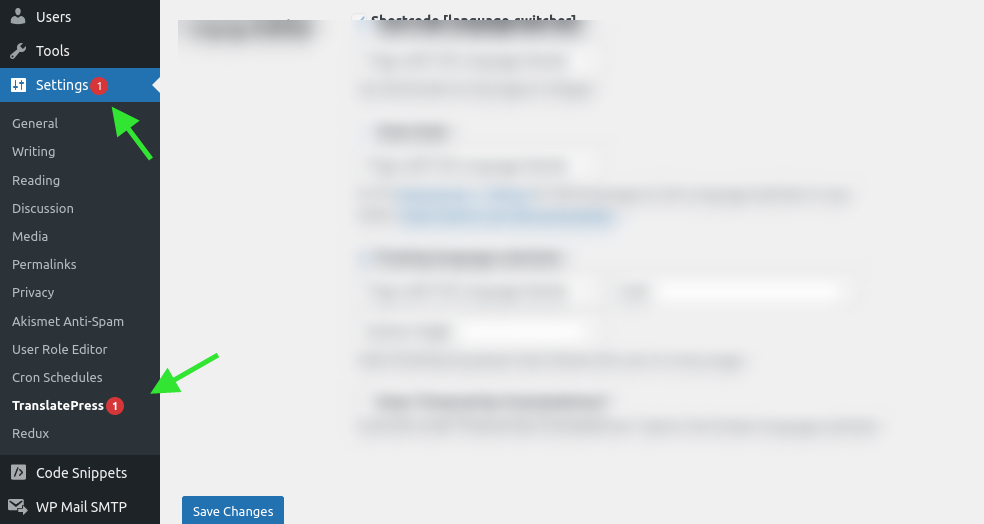
**Step 1:** Go to Wordpress -> Settings -> TranslatePress.
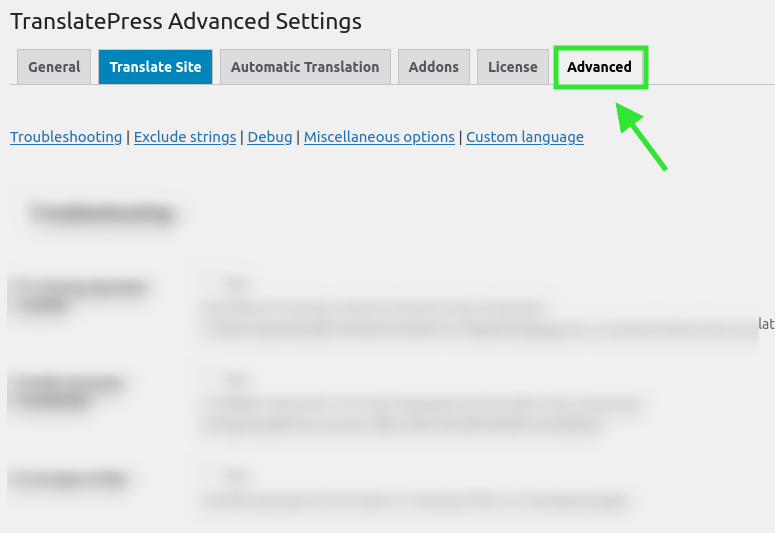
**Step 2:** Go to the "Advanced" settings tab
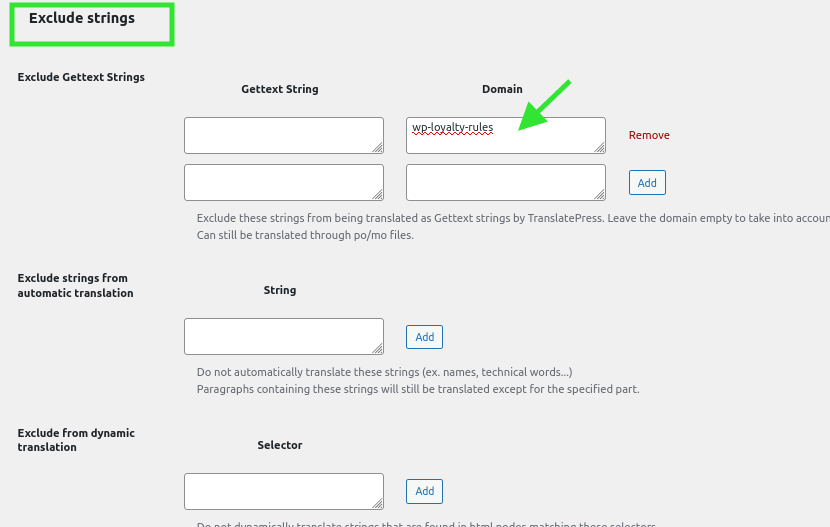
**Step 3:** Go to "Exclude strings" section -> Exclude Gettext Strings -> Domain
Here exclude our plugin domain "wp-loyalty-rules" here and save it.
So that WPLoyalty strings will not get automatically translated.
Now, you can use Loco Translate plugin or POEditor or any third party plugin to translate WPLoyalty strings manually.
[Click here to purchase WPLoyalty PRO.](https://wployalty.net/pricing/)
You may also refer to:
[How to translate strings using Loco Translate](https://docs.wployalty.net/quick-start-guides/translating-wployalty-with-locotranslate)
Still unclear ?\
Please submit a [support request](https://wployalty.net/support/). We are always happy to assist you :)